The release candidate for uSync.Complete 17.6 is out. The big addition is approvals for Publisher: a server can now require someone to approve a push or pull before anything changes on it.
dotnet add package uSync.Complete --version 17.6.0-rc1
It's a prerelease, so you'll need to include prereleases to see it in your package manager.
Approvals
Approvals are set per server. Turn on Require approval on the server's Permissions view in the Publisher settings, and pick the user groups that can approve. Admins can always approve. Requests expire after 7 days unless someone decides them, and you can change that (0 means they never expire).
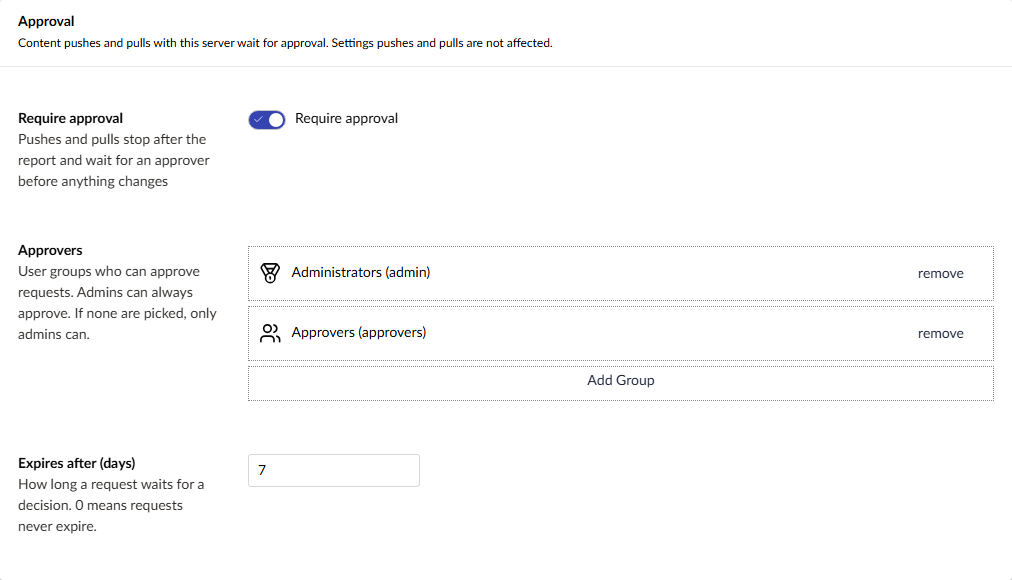
Only content pushes and pulls wait for approval. Settings pushes and pulls carry on as normal.
Asking for approval
Nothing changes for your editors until the report. They push or pull as usual, uSync works out what will change, and then, instead of going ahead, they get a Request approval button and a box for a note to the approver.
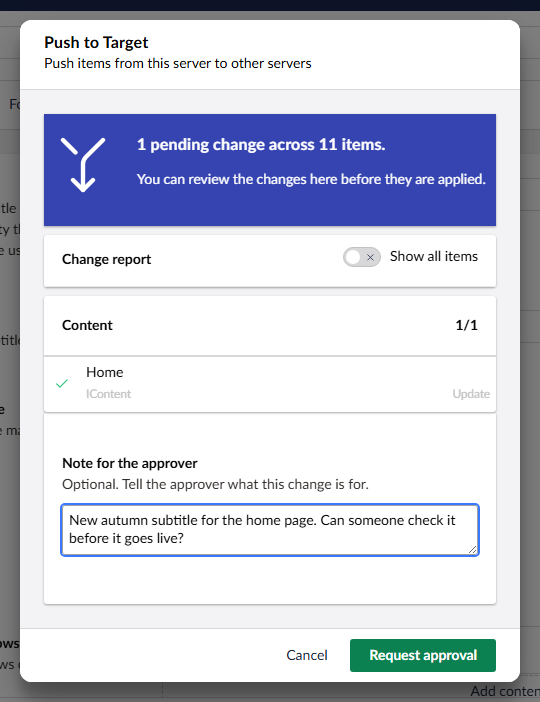
The push stops there. Nothing has been changed on the other server.
The Approvals dashboard
Requests land on a new Approvals dashboard in the Content section. Approvers see the requests waiting for them, and everyone sees the requests they've made and the history.
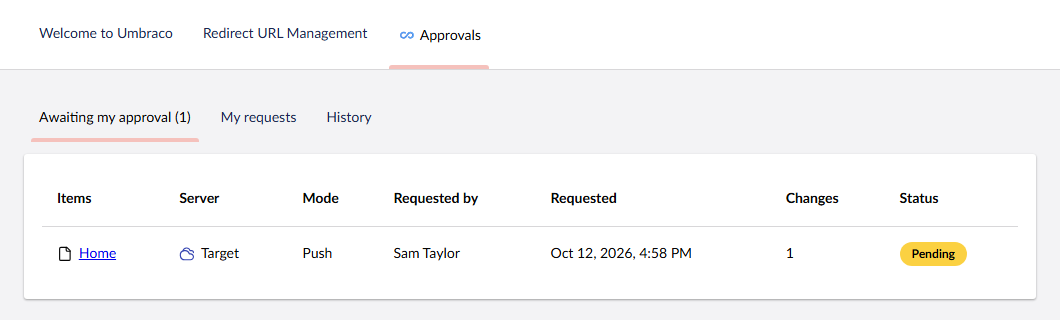
The dashboard only appears once a server needs approval (or you already have requests to look back at), so sites that don't use approvals never see it.
Approving
Opening a request shows the report the editor saw when they asked, along with their note. Approve it and the push or pull carries on, decline it and it's cancelled and cleaned up on both servers. Nobody can approve their own request, unless they're an admin.
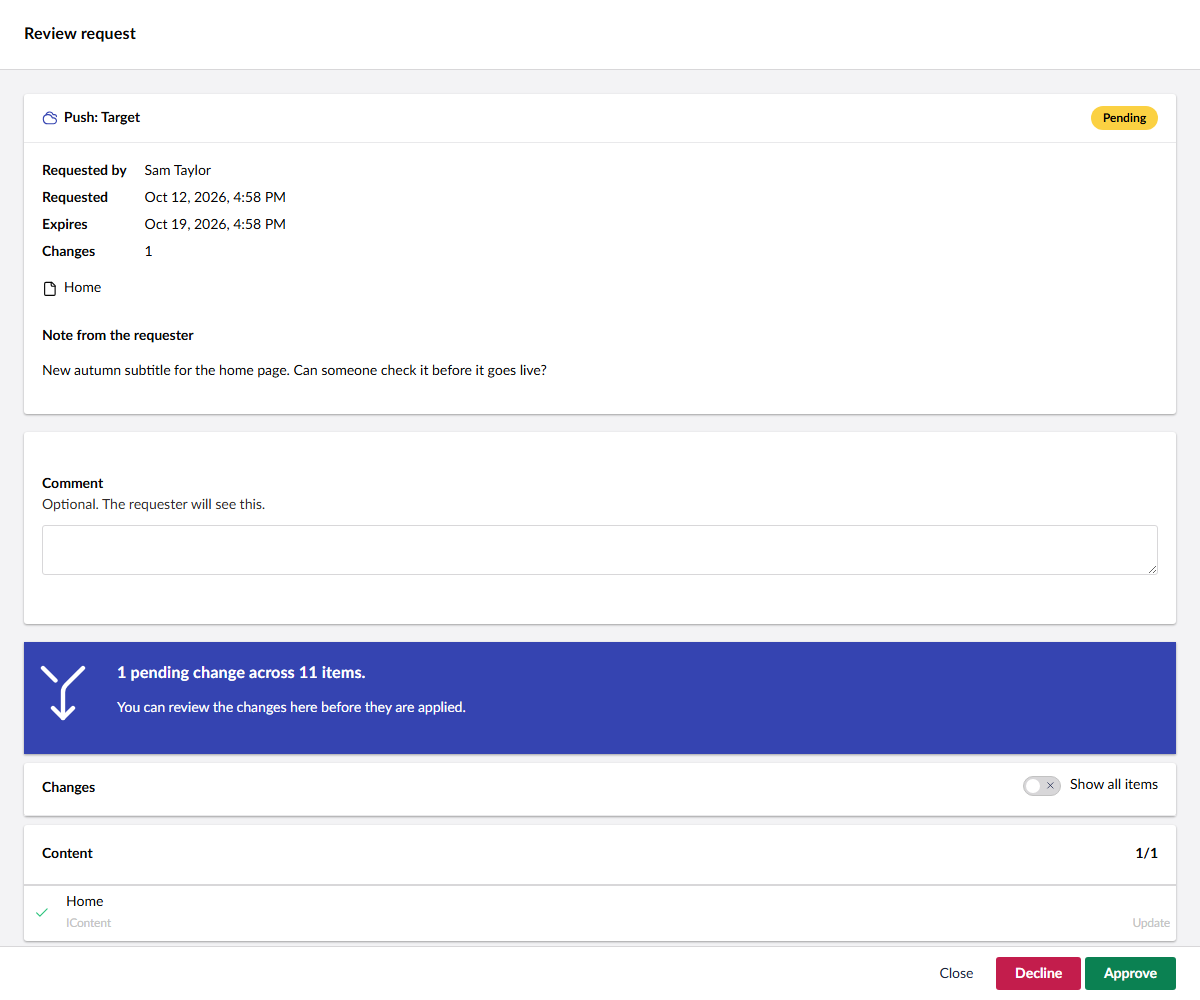
Time passes between asking and approving, and the other server might have changed in the meantime. So when a request is approved, uSync sends it again and re-checks the target before applying anything, and tells you if the result is different from what was approved.
Emails
If your site has SMTP set up, approvers get an email when a request needs them, and the person who asked gets one when it's approved, declined, expires or fails.
Each email comes from a template you can replace: put a file with the same name in ~/uSync/emails/ (for example approval-requested.html) and it's used instead. If email isn't how you want to tell people, there are notifications (PublisherApprovalRequestedNotification and friends) you can handle and send wherever you like.
Also in this release
- Start a sync in one call.
POST Publisher/Startruns a push, pull or settings sync in the background, andPOST Exporter/Startdoes the same for an export, withGET Exporter/Download/{id}to collect it. Handy if you're driving uSync from a script or a pipeline. - Push and pull buttons. They now only show for user groups whose default permissions allow a push or pull.
- Progress. The progress bar moves during a push or pull again, and the first step says what it's doing.
- Fixes. The push dialog works in Safari 26.4, import failures show in the result, the TimeMachine timeline refreshes when you come back to it, and a handful of smaller things.
Try it
dotnet add package uSync.Complete --version 17.6.0-rc1
The full list of changes is in the v17.6.0-rc1 release notes. If you try approvals, we'd love to hear how they fit the way your team works before the full release.