uSync.Complete 17.7 (Umbraco 17) and 18.4 (Umbraco 18) are out. The headline is a new Side by side view in the change details dialog. It shows you what an item will look like once it's synced, laid out the way you'd see it in the backoffice, before anything changes.
dotnet add package uSync.Complete --version 17.7.0
Inspired by Moriyama
This one isn't all our idea, and we want to say so up front.
The Side by side view is heavily influenced by Moriyama's umbraco-pr-preview. It's an Azure DevOps extension that adds an Umbraco tab to pull requests. It takes the changed uSync (and Umbraco Deploy) files in a PR and renders them with the real backoffice property editors, so a reviewer sees a document type change the way it'll look in Umbraco.
When we saw it, the reaction was more or less "oh, that's how it should look", and it's shaped a lot of what's in this release. So thank you to the team at Moriyama for building it and putting it out in the open. If you review uSync changes in Azure DevOps, go and have a look at it.
Side by side
Open the details of any change in a Publisher report, and you now get the item twice. On the left is the incoming version, the one you're about to send. On the right is the current one, on the site it's going to. Each side is labelled with the site's name, so you can tell which is which at a glance.
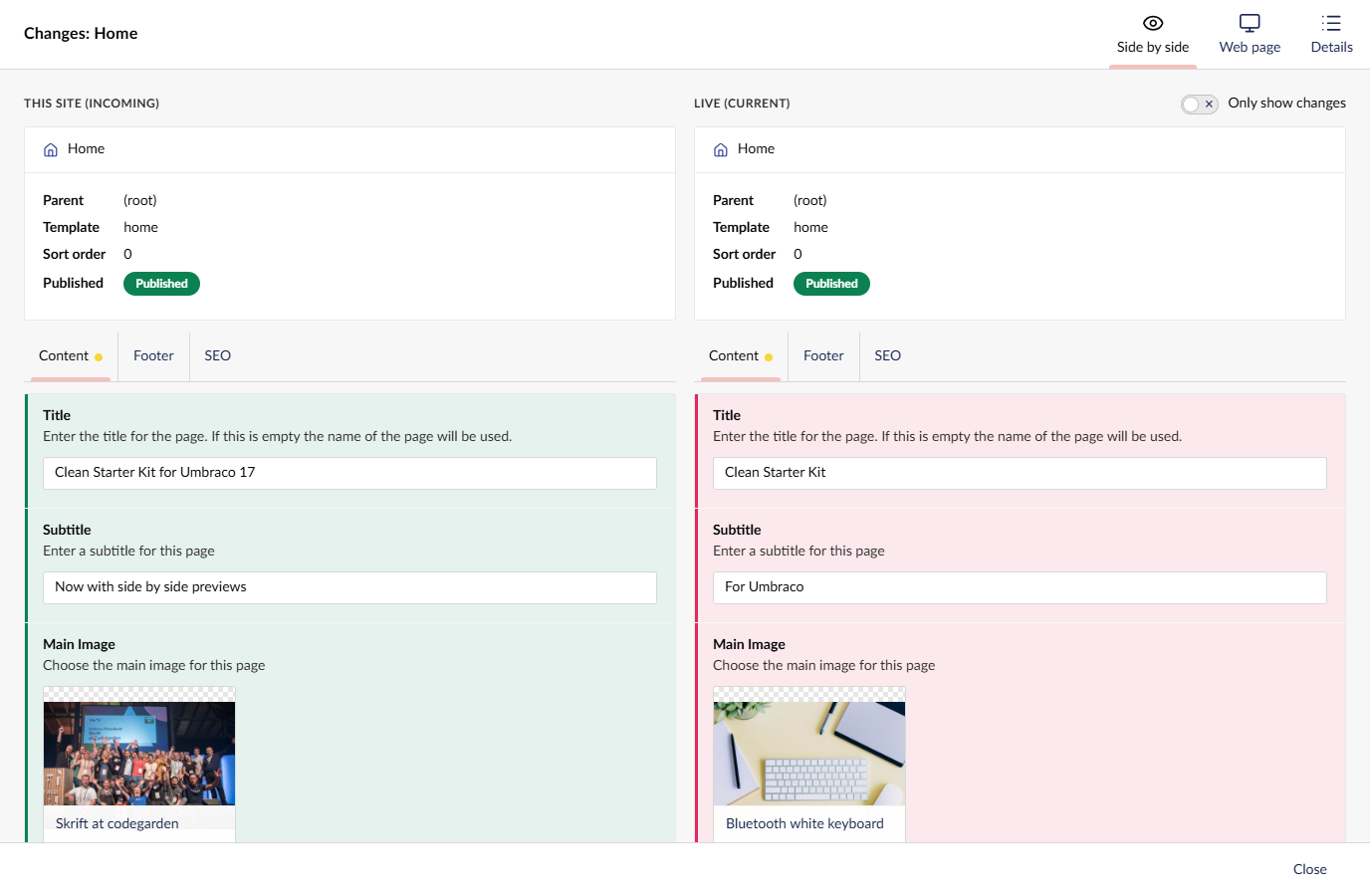
Every value is shown in its real property editor. Text boxes are text boxes, the media picker shows the image, block lists look like block lists. Values that differ are marked green on the incoming side and red on the current one. A dot on a tab tells you there are changes on it, and the dialog opens on the first tab that has some.
There's an Only show changes toggle for when a page has forty properties and you only care about three of them. Content that varies by language gets a language switch.
The editors are there to look at, not to use. Nothing you click in the preview changes either site.
Document types and data types
It isn't just content. Document, media and member types are laid out like the document type editor, with their compositions merged in, and every property rendered by its own editor. Added, removed and changed tabs, groups and properties are highlighted.
Here's a TimeMachine rollback of a document type, where someone added two properties that the rollback is going to take away again:
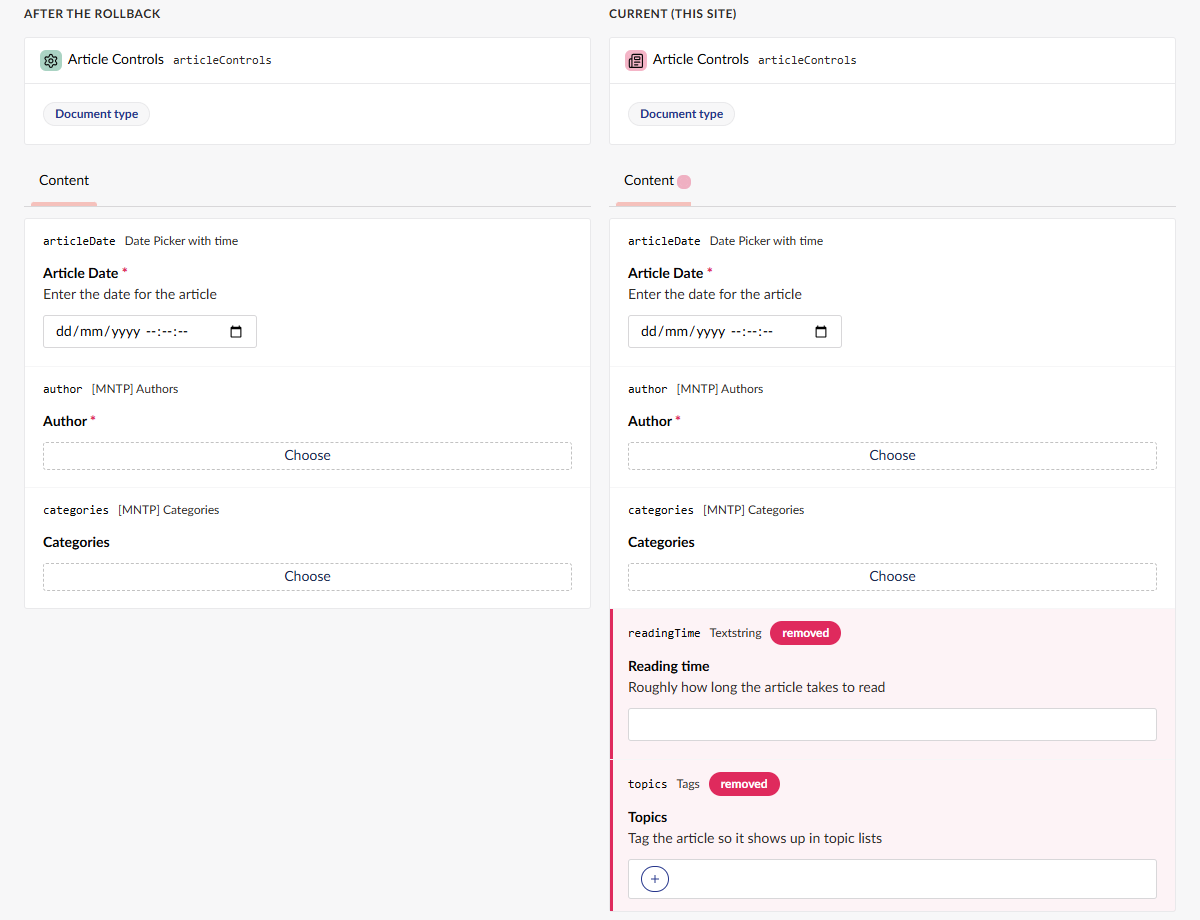
Data types show a preview of the editor, plus their configuration with the changed settings picked out.
If a new property uses a data type that only exists in what's being synced, the preview builds that data type from the sync too, so the property still shows up in its real editor. The same goes for new compositions. Nothing gets created on the site to do this.
Where you'll see it
The preview is built from whatever is being synced, not from the site's uSync folders. So you see what's actually going to happen:
- Publisher pushes and pulls. A push is previewed on the target server, because that's where the sync pack is. A pull is previewed on your site.
- Exporter imports. The preview comes from the sync pack you uploaded.
- Snapshots. The preview comes from the snapshot.
- Restore points. The preview comes from the restore point.
- TimeMachine rollbacks. You see the item as it will be after the rollback.
Previewing a push needs 17.7 / 18.4 on the target as well. If the target is on an older version, you get the Details tab as before. The background, result and approval reports keep the Details view for now.
The other tabs
The dialog's tabs are now Side by side, Web page and Details.
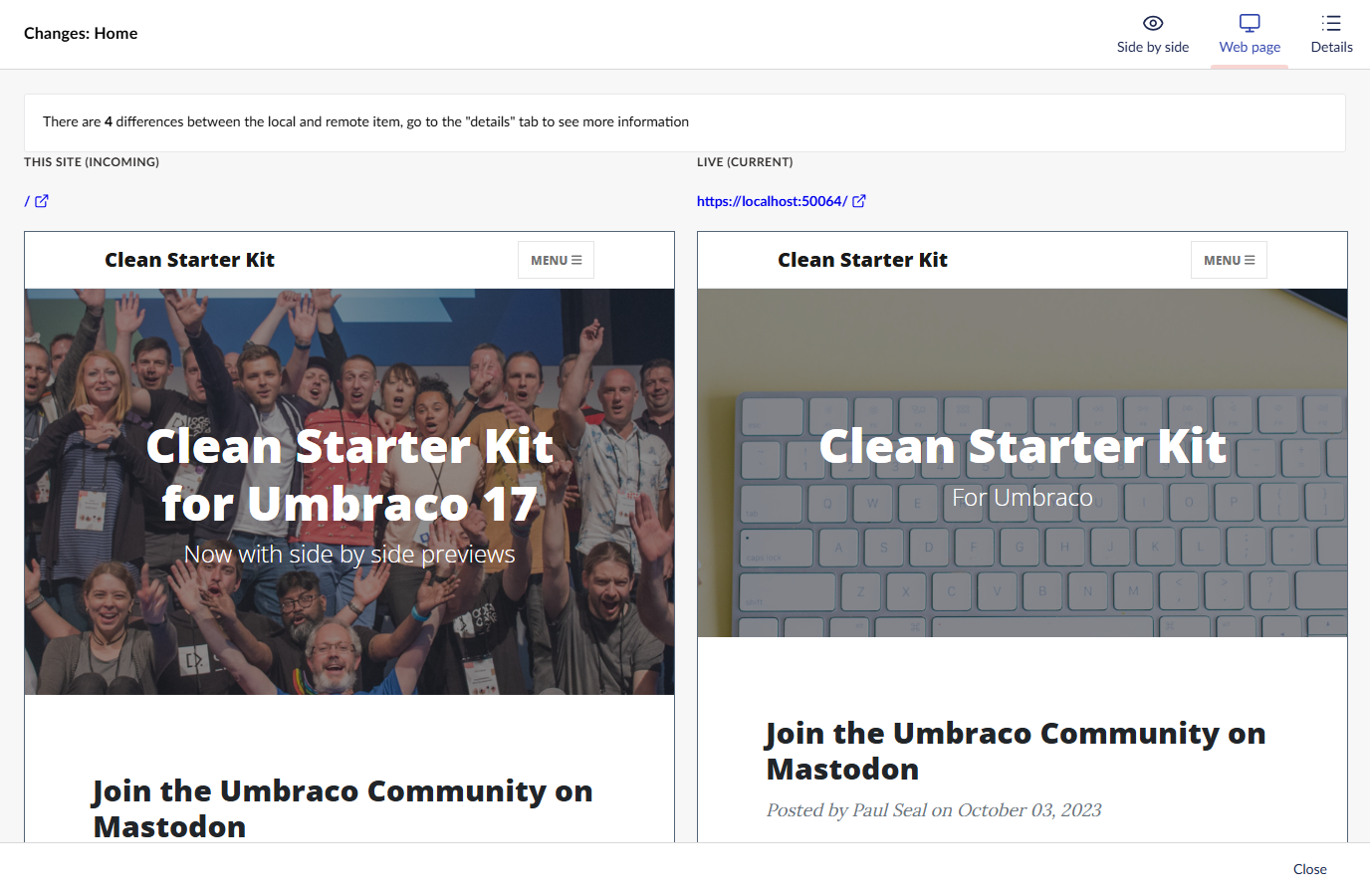
Web page is the side by side view of the rendered pages that's been in Publisher since 8.9. It shows the incoming page next to the live one, and it now tells you when the item doesn't exist on the other site yet.
Details is the property-by-property diff you already know.
In uSync too
The preview itself lives in uSync, and has done since uSync 17.6 / 18.3. If you use free uSync, you get the Side by side view on your import reports, previewing what's in your uSync folders against the site.
uSync.Complete builds on that to preview from sync packs, snapshots, restore points, rollbacks and remote servers.
Getting it
Side by side is in uSync.Complete 17.7 for Umbraco 17 and 18.4 for Umbraco 18. 18.4 needs uSync 18.3.1 or later.
dotnet add package uSync.Complete --version 17.7.0
dotnet add package uSync.Complete --version 18.4.0
There's plenty more in this release, including a temporary licence option for keys from older versions, a new default "Content & Media" server template, and a notification for code that needs to know when a push has finished. The v17.7.0 and v18.4.0 release notes have the full list.