uSync.TimeMachine - undo for your whole site
uSync.TimeMachine records every change made to your site, and it lets you roll any of them back: a single edit to one page, or a whole import of hundreds of items, in a couple of clicks.
It arrived in 17.5 / 18.2, and with a few releases behind it we wanted to show it off properly.
dotnet add package uSync.Complete
A timeline of everything
TimeMachine lives under uSync in the Settings tree. Open it and you get your site's history, newest first:
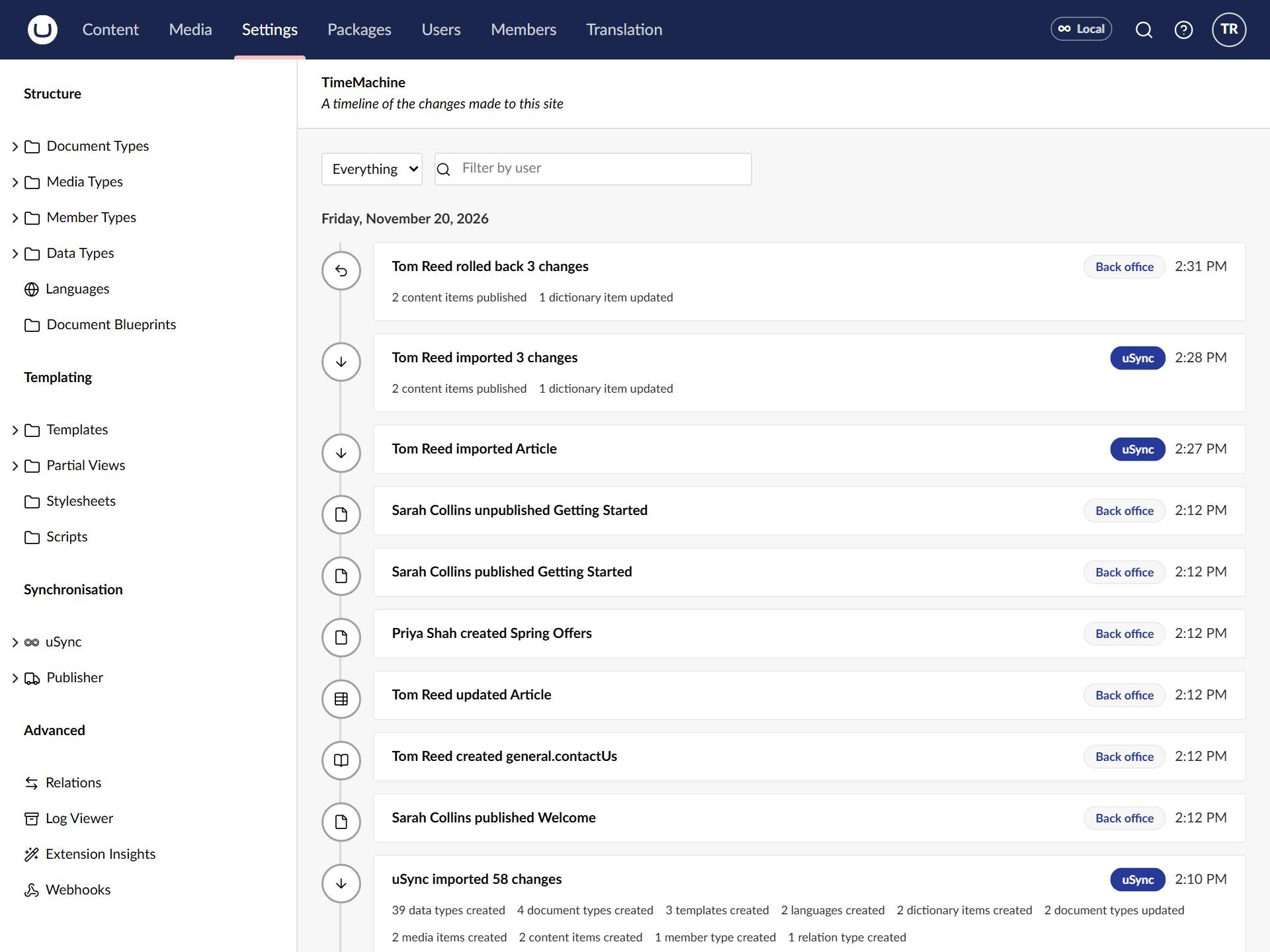
Every save, publish, move and delete is there, with who did it and when. Content, media, document types, data types, dictionary items, templates, languages: if uSync can sync it, TimeMachine records it.
It groups things the way you'd think about them. A "save and publish" is one event, not two. A whole uSync import is one event too, however many items it touched, with a summary underneath of what kind of things changed. The badge tells you whether a change came from the Back office or from uSync, and you can filter on either, or by user.
Rolling back one change
Click any event and you see exactly what it did, down to the property:
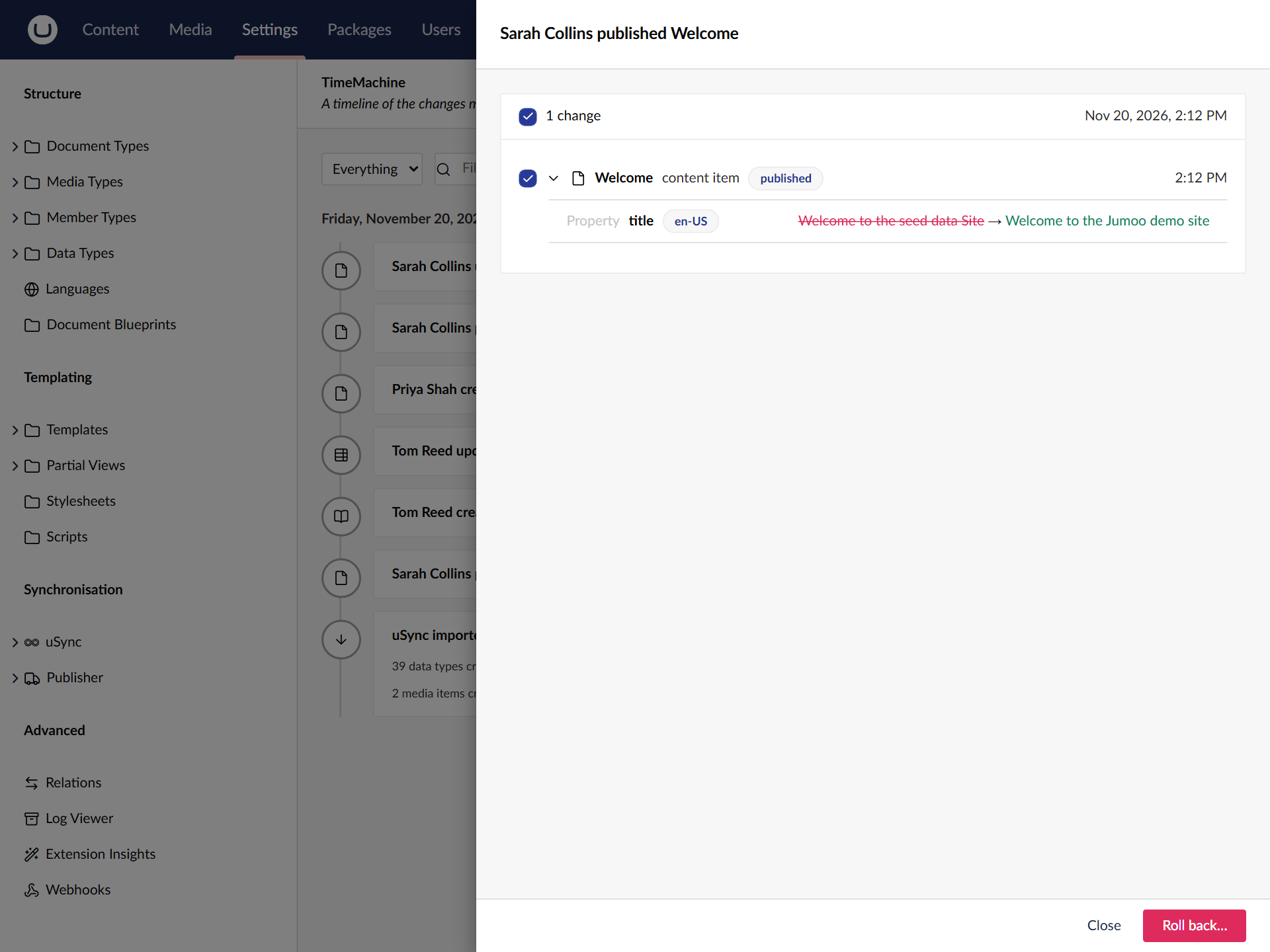
Sarah changed the home page title. If that wasn't meant to happen, press Roll back… and the page goes back to how it was before Sarah's change. Nothing else on the site is touched.
No digging through content versions, no restoring a backup, no working out what the old value was. It's an undo button.
Rolling back lots of changes
This is where it gets fun. Here, Tom has run a uSync import, and it brought in three changes nobody wanted:
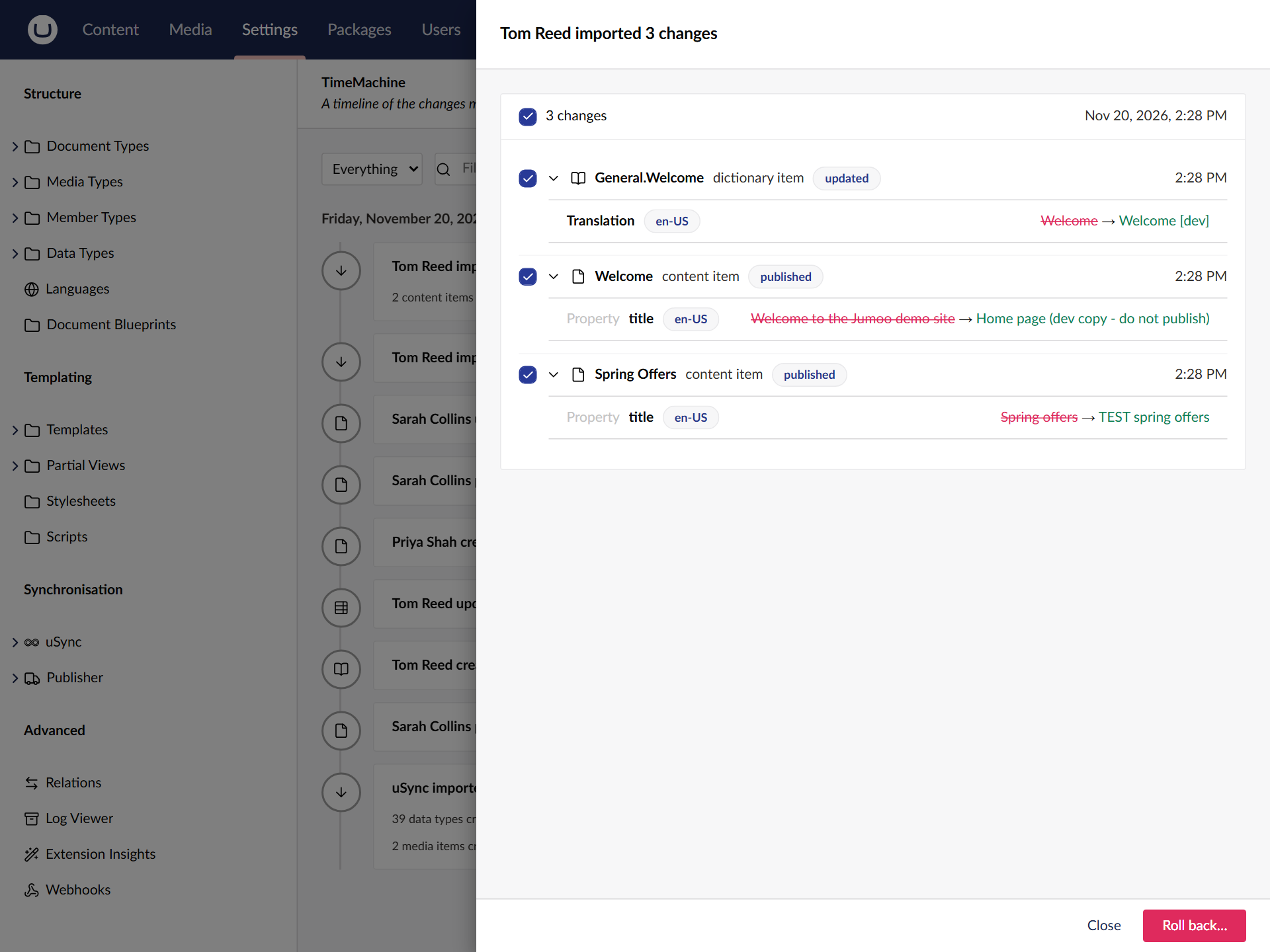
Every item has a tick box. Leave them all ticked and roll back, and the whole import is undone in one go, whether it touched three items or three hundred. Untick the ones you want to keep, and only the rest go back.
Before anything changes, TimeMachine shows you what the rollback will do. It's the same uSync report you already know, and clicking an item gives you the side-by-side view from 17.7, with the item as it will be after the rollback next to how it is now:
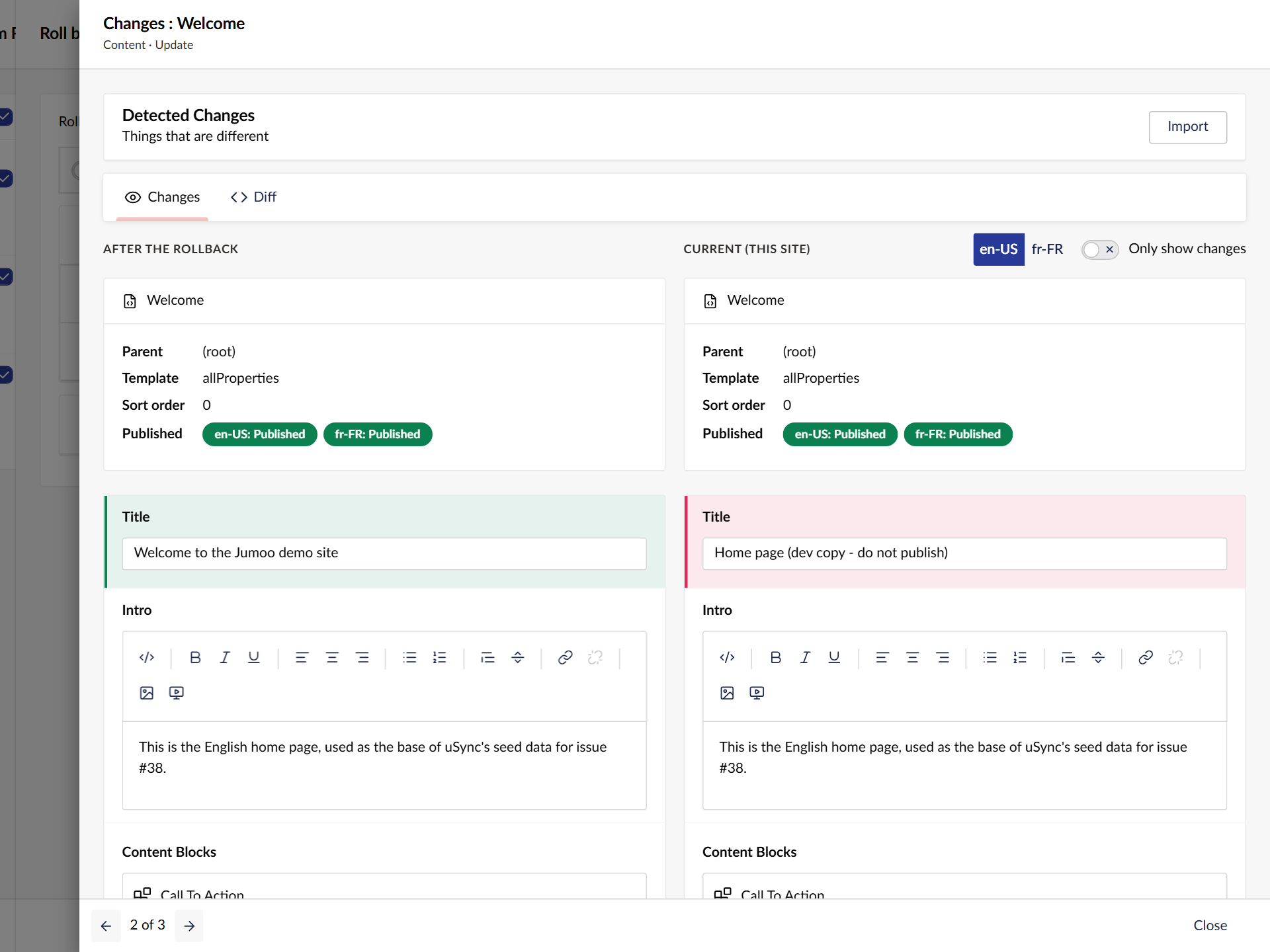
Press Roll back, and it's done.
Changed your mind?
A rollback goes on the timeline as an event of its own ("Tom Reed rolled back 3 changes", at the top of the first screenshot). So you can roll the rollback back too.
If an item changed more than once in an event, TimeMachine unwinds the changes newest first, so it ends up exactly as it was before the first of them.
Your uSync folder keeps up
A rollback runs through uSync, and uSync's export runs as it goes, so the uSync folder on disk is updated to match the rolled-back site. The next import won't quietly put the change back.
That's the folder on the server you rolled back on. If the change is in source control and gets deployed again, it will come back with it.
A couple of limits
- Media files. Rolling back a media delete brings the media item back, but not the file if Umbraco has already removed it.
- Blueprint updates can't be rolled back, because Umbraco doesn't raise the notification we'd need. TimeMachine tells you rather than failing quietly.
TimeMachine is about individual changes. For a copy of the whole site to go back to, restore points are still the tool, and the two work well together.
Turning it on
TimeMachine is off by default. Recording means storing every item on every save, and we didn't want anyone upgrading to find their saves slower without asking for it. Turn it on in appsettings:
"uSync": {
  "TimeMachine": {
    "Enabled": true,
    "RetentionDays": 30
  }
}
It picks the setting up without a restart, and events older than RetentionDays are cleaned up for you.
Try it
TimeMachine is part of uSync.Complete, which you can install and use for 60 days without a licence.
dotnet add package uSync.Complete
There's more on the uSync.Complete page, and every release's changes are in the release notes.
Enjoy!