// sorry marc
Power Toys for Umbraco 17.2 is out, and it brings BackChat with it: chat, tasks and review reminders for the Umbraco backoffice, plus a new Keyboard Shortcuts power toy. Each one is a power toy, so you turn on the bits you want from the Power Toys dashboard.
dotnet add package Umbraco.Community.PowerToys
Chat
BackChat started life at the Package Jam at Umbraco Spark 2025, but we never got round to actually publishing it. It's a better fit inside Power Toys anyway, so that's where it's ended up.
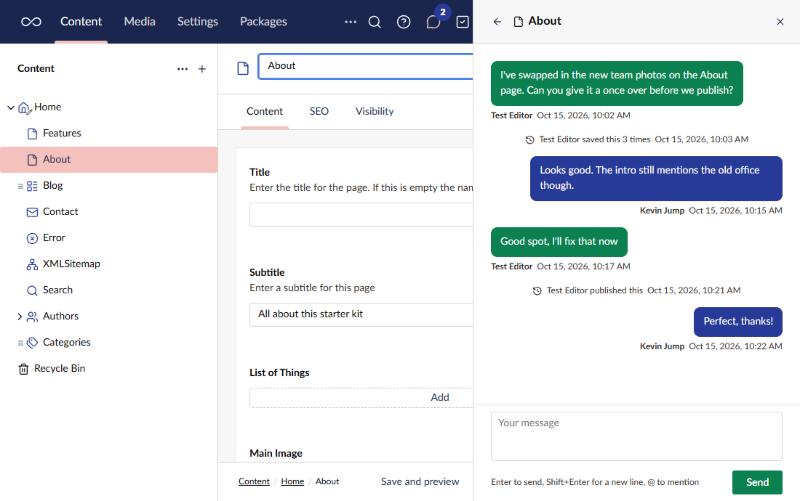
- Chat from the header. The panel opens beside the page, so you can keep moving around the site while it's open.
- This page. Talk about the page you're on, and the chat follows you as you move between pages.
- Everyone, people and groups. A chat for everyone, plus direct and user group conversations.
- @mentions. Mention a person or a group, and they get a notification.
- Messages that need reading. Ask people to confirm they've read something, and see who has.
- What happened. Saves and publishes show up in the page's chat.
Tasks
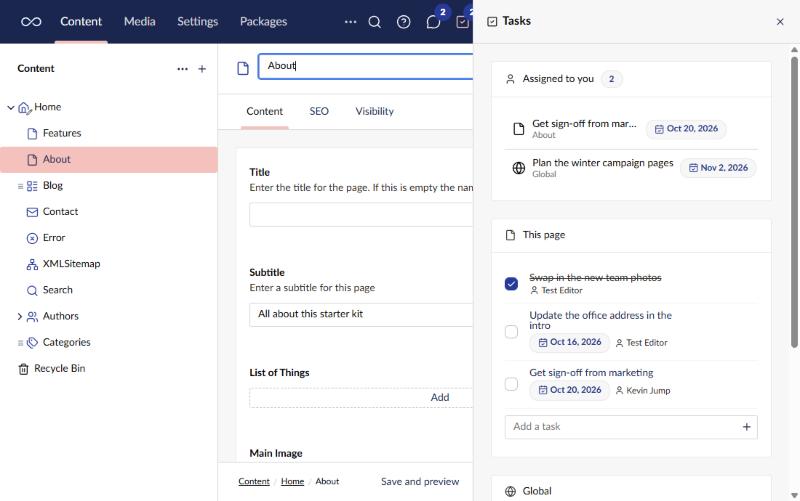
- Per page and global. A to-do list for each page, and one for the whole site.
- Assigned to you. Everything on your plate in one list, with a badge on the header icon.
- Who and when. Give tasks someone to do them and a due date.
- Live. Everyone's panel updates as soon as a task changes.
Reminders
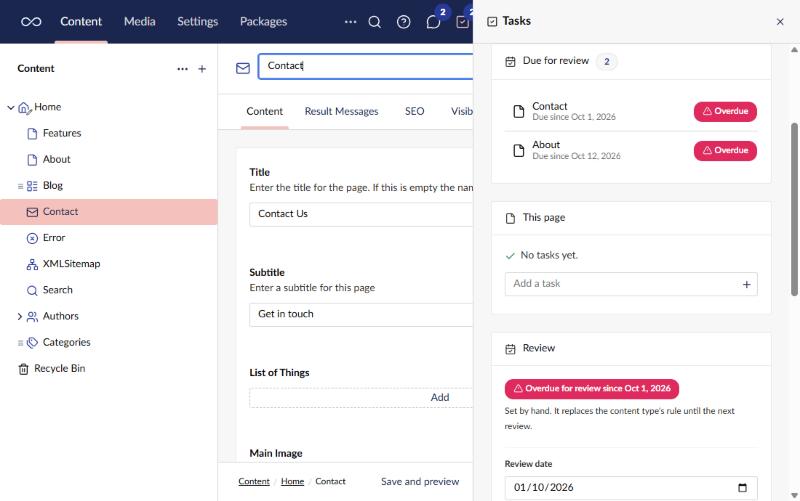
- Review dates. Give a page a date to be reviewed by, or set a rule per content type ("every 6 months").
- Due for review. See the pages you look after that have fallen due.
- Mark as reviewed. Add a note, and the page gets its next date from the rule.
- Reminders. The page's last editor gets a nudge when it falls due.
Reminders are part of Tasks, and you switch them on in the Tasks settings.
Keyboard shortcuts
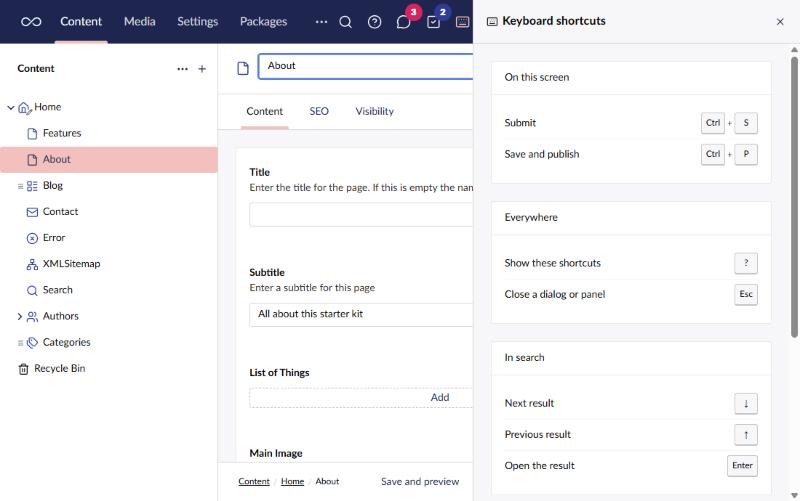
- Press ? Or use the header button, and a panel lists the shortcuts that work on the screen you're on.
- Read live. The list comes from Umbraco itself, so it changes as you move around the site.
- Your own shortcuts. Add shortcuts to jump to a section or URL, open search or a panel, or run an action on the item you have open.
- Sections out of the box. Alt+1 to Alt+9 go to the sections in the order the header shows them.
Have a look at the docs for all the details, and the release notes on GitHub.
dotnet add package Umbraco.Community.PowerToys