We have released the first public builds of two new packages, uSync.Automate and
Jumoo.TranslationManager.Automate, which put uSync and Translation Manager inside
Umbraco.Automate as actions and triggers you
can drop into a workflow.
Both are pre-release (uSync.Automate is at beta1, Translation Manager's is at rc1), and we would really like people to try them and tell us what breaks.
dotnet add package uSync.Automate --prerelease
dotnet add package Jumoo.TranslationManager.Automate --prerelease
Automate is Umbraco's workflow product: triggers, conditions and actions wired together in the backoffice. It ships with a core set of building blocks.
We did have a small package ready for Translation Manager at the release of Umbraco.Automate, but now we have revisited that and written a uSync.Automate package, so you can hook into the events and actions for both of these packages.
uSync.Automate
This is actually three packages, because they do quite different things and not everyone wants all of them.
uSync.Automate
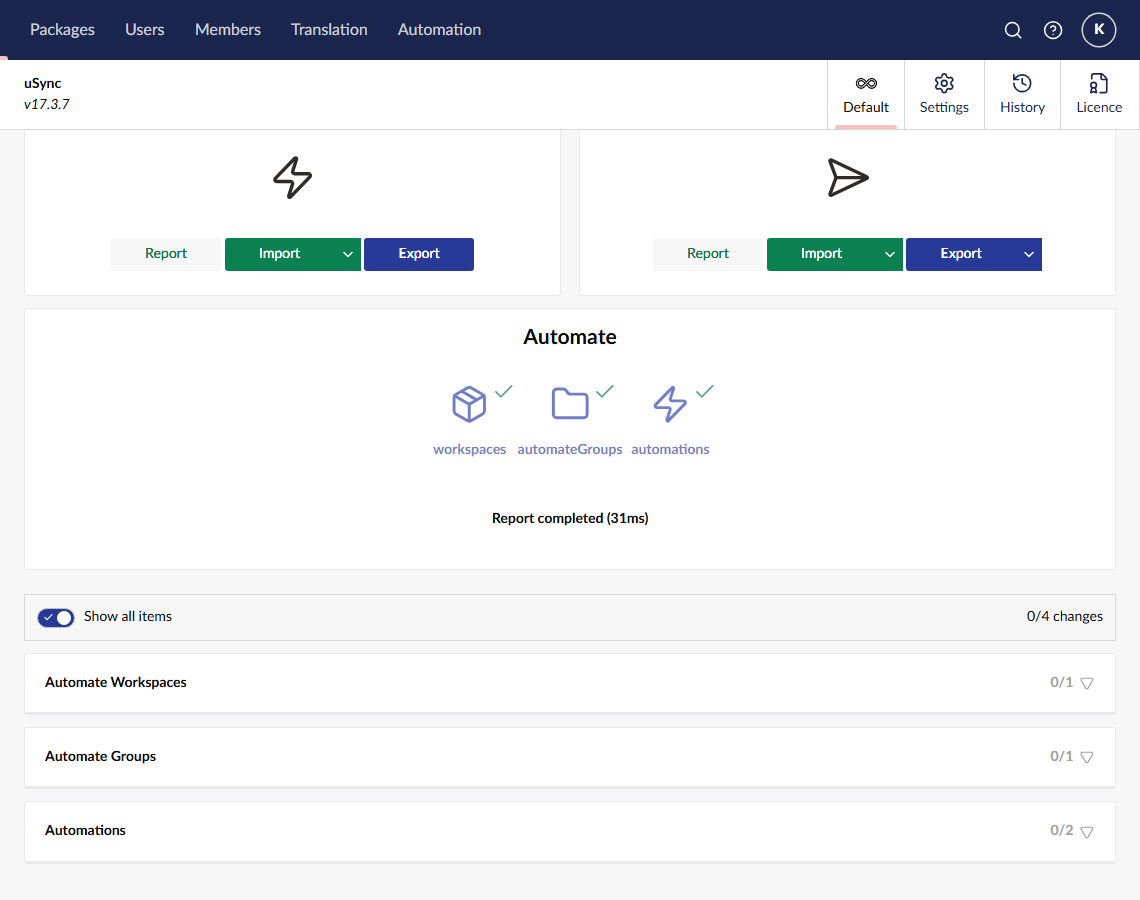
Handlers and serializers so uSync exports Automate's own settings (Workspace, WorkspaceGroup
and Automation) to disk as XML, alongside your document types and data types.
So the automations themselves become part of the thing you deploy. You build a workflow on your dev site, uSync exports it, it goes through source control, and it arrives on staging and live the same way everything else does.
Connections are deliberately not synced. Each environment owns its own connections. Your dev Slack webhook is not your live Slack webhook, and syncing credentials between environments is a bad idea however convenient it looks. Automations and workspaces reference connections by alias, and report it when the alias is missing on the target server rather than silently importing a broken workflow.
uSync.Automate.Actions
The other direction: uSync operations you can run from a workflow.
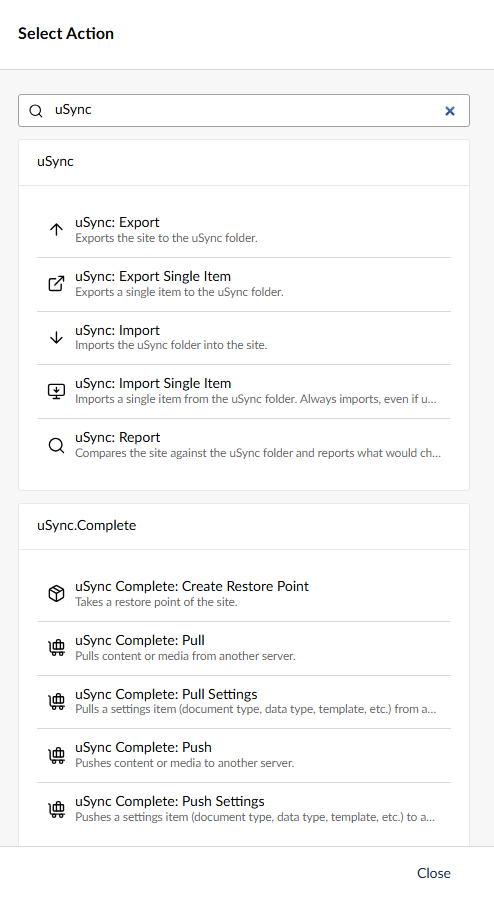
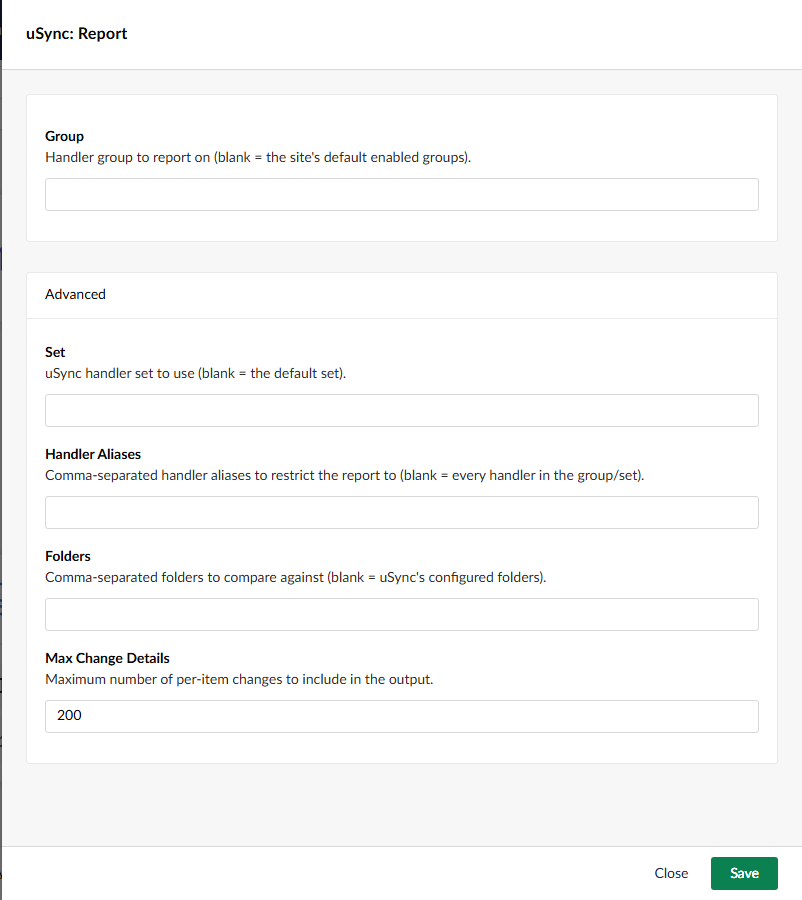
- Export, Import and Report. The three uSync run actions, with the settings you would expect: handler group, set, handler aliases, force, clean, target folders. Report changes nothing, so it is the safe one to schedule.
- Export Item and Import Item. Single item versions, taking a key and a handler alias. These are the ones you bind to a trigger, so you can export just the thing that changed.
- Triggers for each run.
StartingandCompletedfor import, export and report. The completed triggers hand you a summary you can filter on: only fire when there were changes, or only when there were errors. - Item-level triggers. Fire per item imported or exported. These are off by default and
capped, because a full-site import can raise thousands of them and flood Automate's trigger
outbox. If you want per-item work, the better pattern is a
Completedtrigger and aforEachover its changes; the config is underuSync:Automate:Actions:ItemTriggersif you want them on anyway.
Every setting a uSync run takes is on the action, with the fiddly ones tucked into Advanced.
Some things that you might want to do with uSync actions:
- Report on a schedule, and post to Slack or Teams only when the report finds changes. A quiet "your dev and live settings have drifted" alarm.
- Export on a timer so the uSync folder on a server is always current, without anyone remembering to press the button.
- Import as the last step of something else, like a deployment webhook or a content freeze ending.
uSync.Automate.Actions.Complete
The same idea for uSync.Complete's publisher. Push and pull content, media and settings items to and from another server, take a restore point, and a trigger that fires when this site finishes receiving a push or pull from somewhere else.
The push and pull actions carry the options the publisher UI gives you: include children, include media, include ancestors, include dependencies, and take a restore point on the target before applying anything.
So some things you might do:
- When a document type is saved on the settings server, push it to staging. No one has to remember.
- Take a restore point before every scheduled import, so there is always a way back.
- When staging finishes receiving a push, run a uSync report and mail the result to whoever cares.
The bit that will bite you
Automations that run uSync raise uSync events, which can fire triggers, which can run automations. It is very easy to build a loop without meaning to.
Every trigger in these packages has an origin setting in its advanced group, controlling what happens when the uSync run was itself performed by an automation: ignore it, treat it like any other, or only fire for it. The item-level triggers default to skipping automation-driven runs entirely, on the grounds that per-item events are almost always the tail end of a machine-driven cascade rather than something a human did.
uSync.Automate needs Umbraco v17, uSync 17.3 and Umbraco.Automate 17.2 or later. The Complete actions need uSync.Complete as well, and are a separate package so you are not forced into that dependency.
Jumoo.TranslationManager.Automate
Translation Manager has had auto translate on save for a while, and there is already a Jumoo.TranslationManager.AutoTranslate package that can trigger translations from content saves or publishes, but it is a fixed behaviour. It does one thing, the way it is coded to work. This package breaks it into parts you can rearrange.
Actions:
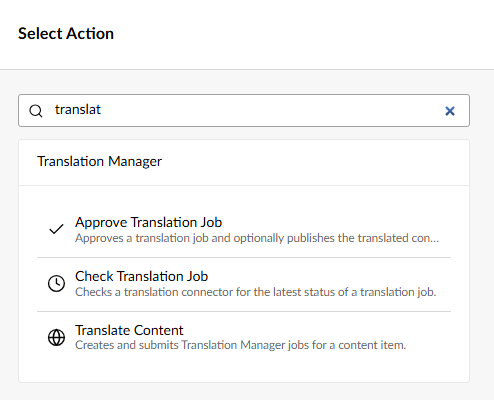
- Translate Content. Creates translation nodes for a content item and submits a job per
target culture. Point it at a content key (usually
${trigger.contentKey}), and optionally restrict it to particular cultures, particular translation sets, or a particular connector. Blank means everything that applies, which is usually what you want. - Check Translation Job. Asks the connector where a job has got to.
- Approve Translation Job. Approves a job, writing the translation back into Umbraco, and optionally publishes it. You can approve the whole job or name individual nodes.
Triggers: Job Submitted, Translation Received, Job Approved and Translation Published. Each one is filterable by set, by target culture, and by connector.
The obvious one to build first is the one auto translate already does:
Content Published → Translate Content → Check Translation Job → Approve Translation Job
Except now every step is yours to change. Which is the point.
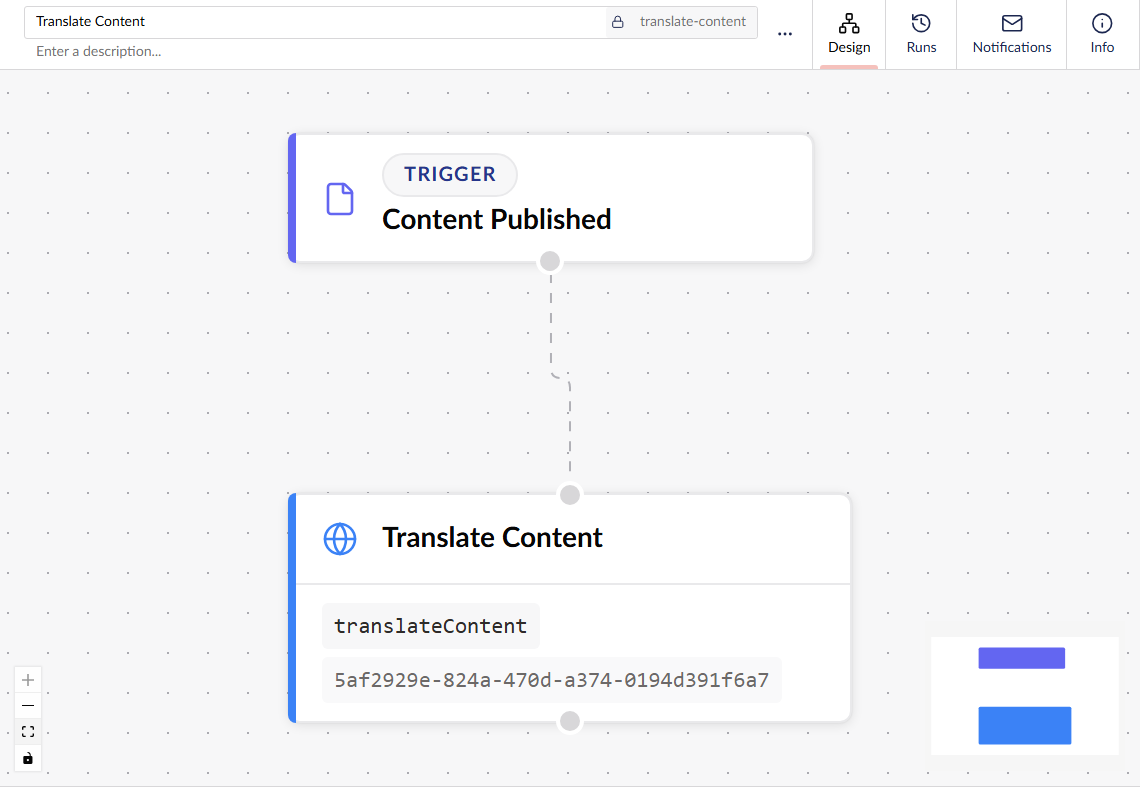
Where the rearranging actually earns its keep:
- Machine translation with no waiting. Machine connectors return more or less instantly, so Translate Content has an approve-when-returned option that approves and optionally publishes in the same run. Publish in English, and French and German appear.
- Human translation, with a nudge. Submit the job on publish, then hang a Slack or Teams message off the Translation Received trigger so someone knows there is something to review. Approval stays a human decision.
- Different rules for different parts of the tree. Automate has conditions, so news can go to machine translation and get published automatically while the legal section goes to a human and waits. That was never expressible before.
- Translate on a schedule rather than on publish, if your translation budget is billed per job and you would rather batch them up.
Loops, again
Approving a translation publishes content. Publishing content is what started the automation. You can see where this goes.
There is loop protection built in: the actions know which content they just wrote, jobs are idempotent within a run, and the triggers have the same origin setting the uSync ones do. Force (create translation nodes even where Translation Manager sees no change) is off by default and deliberately awkward to turn on, because it is the setting that defeats most of the above.
Needs Umbraco v17, Translation Manager 17.4 or later, and Umbraco.Automate 17.2 or later. Both packages are v17 and .NET 10 only for now.
Tell us what's wrong with them
These are beta and release candidate builds. They have unit tests and they work on our sites, but "works on our sites" is a low bar for a workflow product where everyone builds something different.
The action and trigger aliases are the part we most want to settle before a stable release, because they get baked into saved automation JSON and we cannot rename them afterwards. If the naming looks wrong to you, now is the time to say so.
So if something doesn't fire, fires twice, or the settings don't offer you the thing you actually needed, please tell us:
Both repos are MPL-2.0, so you can also go and read exactly what the actions do.
dotnet add package uSync.Automate --prerelease
dotnet add package Jumoo.TranslationManager.Automate --prerelease
✳︎ Portions of this post were generated by Claude AI.